Animation
OpenRig Studio
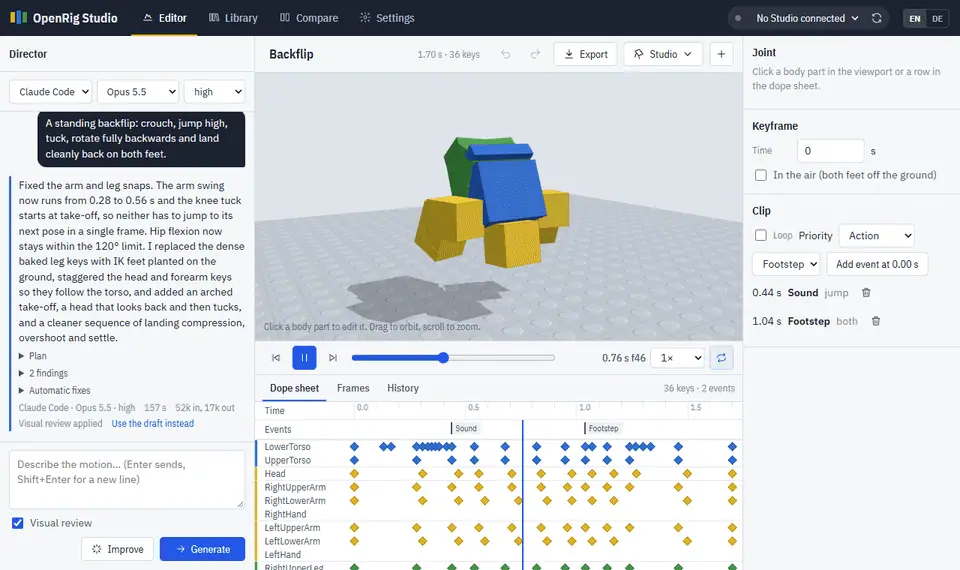
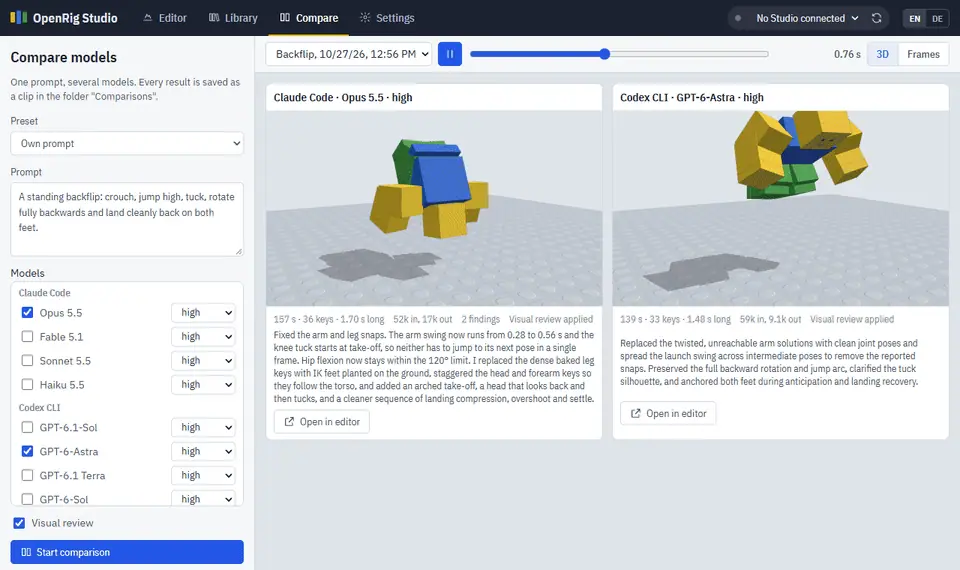
OpenRig Studio is a free local app that turns a motion description into an R15 or R6 Roblox animation using Claude Code, the Codex CLI, or an API key.
Last verified . Repository last pushed .
- 17 stars on November 3, 2026
- MIT
- Works with Claude Code, Codex CLI, Anthropic or OpenAI APIs
How do I install OpenRig Studio?
From the README
git clone https://github.com/hildlabs/openrig-studio.git
cd openrig-studio
npm install
npm startWindows can use start.cmd. macOS and Linux can use ./start.sh. The README says npm install is only needed when you use API keys.
What does OpenRig Studio do?
It needs Node.js 20 or newer. npm install is only required for API keys. The app opens at http://localhost:4330 and talks to Studio through the MCP server that ships with Studio. Send to Studio writes the clip under ServerStorage, RBX_ANIMSAVES, and places a preview rig. Play on my avatar needs a matching R15 or R6 playtest body. The README says a clip is a first draft, that one clip with visual review is two model calls, and that the app is free while your model plan is not. Keys stay in data/settings.json on your machine. The server listens on 127.0.0.1. The licence is MIT.
Source: hildlabs/openrig-studio. License file: MIT. Language reported for the repository: JavaScript.